> ## Documentation Index
> Fetch the complete documentation index at: https://docs.trady.xyz/llms.txt
> Use this file to discover all available pages before exploring further.
# Custody, Key Export & Import
> Your wallet, your keys. Trady can't move your funds, freeze them, or lock you out. Export your private keys at any time.
Short version: **your wallet, your keys.** Trady can't move your funds, can't freeze them, and can't lock you out of them. You can prove it to yourself in two minutes by exporting your keys.
## The custody model
Trady wallets are non-custodial, built on [Privy](https://privy.io) infrastructure. Your private key is never stored as a whole in any single place — it's split and reassembled only at the moment of signing, inside secure hardware. Trady the company:
* does **not** hold your private keys,
* does **not** have a mechanism to transfer your funds,
* can **not** block a withdrawal or an export.
If Trady disappeared tomorrow, your funds would still be yours — that's what the export below is for.
## Export your private keys
Do this **before** your first serious deposit.
1. Open **Wallets**.
2. Select a wallet → **Export Private Key**.
3. Confirm with your sign-in method.
4. Copy the key and store it offline — paper, password manager, hardware. Not a screenshot in your camera roll, not a note in Telegram Saved Messages.
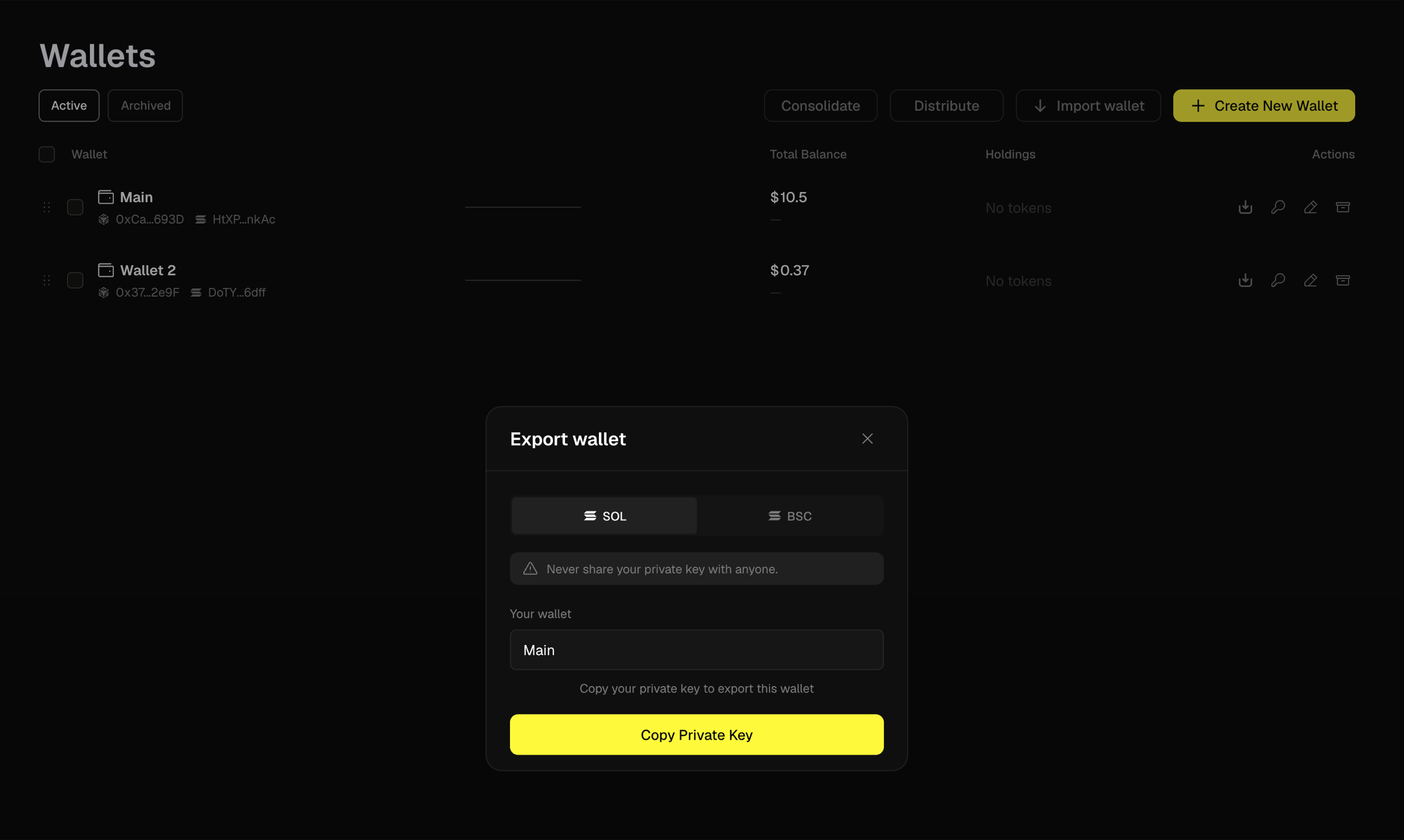 You can now import that key into Phantom, Solflare, MetaMask, Rabby — any standard wallet — and access your funds with or without Trady.
**Never share an exported key with anyone.** Trady staff will never ask for it. Anyone who does ask for it is stealing from you — see [Security](/account-wallets/security).
## Import an existing wallet
Already trading from a wallet with history? Bring it in:
1. Open **Wallets → Import Wallet**.
2. Pick the chain (Solana or EVM).
3. Paste the private key.
4. The wallet appears in your list — trade from it, track it in Portfolio, label it like any other.
You can now import that key into Phantom, Solflare, MetaMask, Rabby — any standard wallet — and access your funds with or without Trady.
**Never share an exported key with anyone.** Trady staff will never ask for it. Anyone who does ask for it is stealing from you — see [Security](/account-wallets/security).
## Import an existing wallet
Already trading from a wallet with history? Bring it in:
1. Open **Wallets → Import Wallet**.
2. Pick the chain (Solana or EVM).
3. Paste the private key.
4. The wallet appears in your list — trade from it, track it in Portfolio, label it like any other.
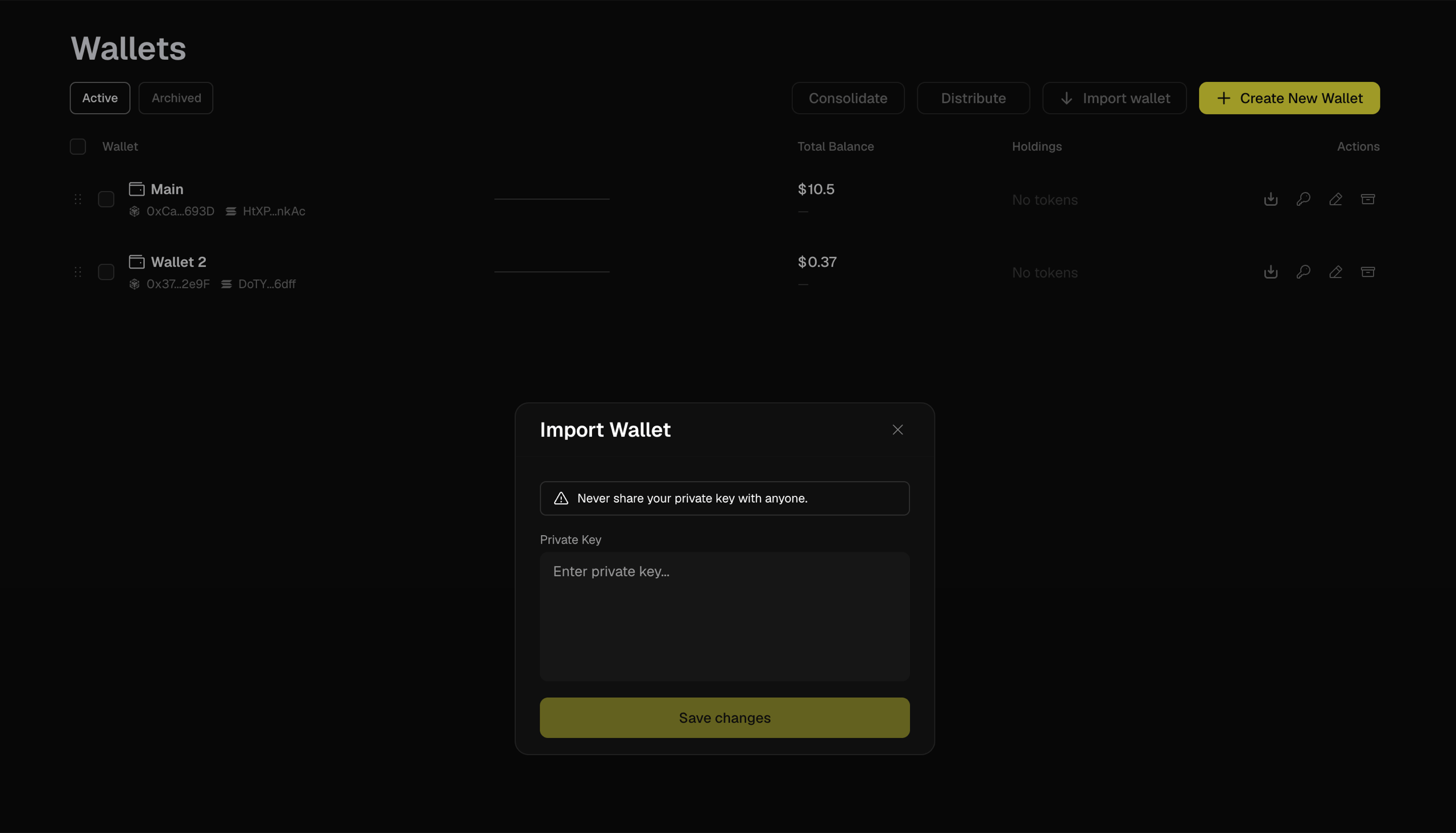 Imported wallets keep working everywhere else — importing gives Trady the ability to sign for the wallet when *you* trade, it doesn't "move" the wallet anywhere.
## Mini-FAQ
**Is exporting my key risky?**
The export itself, done on your own device, is fine. The risk is what happens to the key afterwards — treat it like cash. Export to a trusted environment only.
**Seed phrase or private key?**
Trady wallets export as private keys (per wallet, per chain), not as a single seed phrase.
**Can I delete a wallet from Trady?**
You can archive it from your list. {/* TODO(team): confirm archive/remove flow */} The wallet itself lives on-chain forever — anyone with the key controls it.
Imported wallets keep working everywhere else — importing gives Trady the ability to sign for the wallet when *you* trade, it doesn't "move" the wallet anywhere.
## Mini-FAQ
**Is exporting my key risky?**
The export itself, done on your own device, is fine. The risk is what happens to the key afterwards — treat it like cash. Export to a trusted environment only.
**Seed phrase or private key?**
Trady wallets export as private keys (per wallet, per chain), not as a single seed phrase.
**Can I delete a wallet from Trady?**
You can archive it from your list. {/* TODO(team): confirm archive/remove flow */} The wallet itself lives on-chain forever — anyone with the key controls it.