> ## Documentation Index
> Fetch the complete documentation index at: https://docs.trady.xyz/llms.txt
> Use this file to discover all available pages before exploring further.
# Filters & Presets
> Turn the firehose into your firehose. Saved filter sets, trade presets and column settings that follow your account.
The feeds are firehoses; filters make them *your* firehoses. Trady saves your configurations so your setup survives across sessions and devices.
## Filters
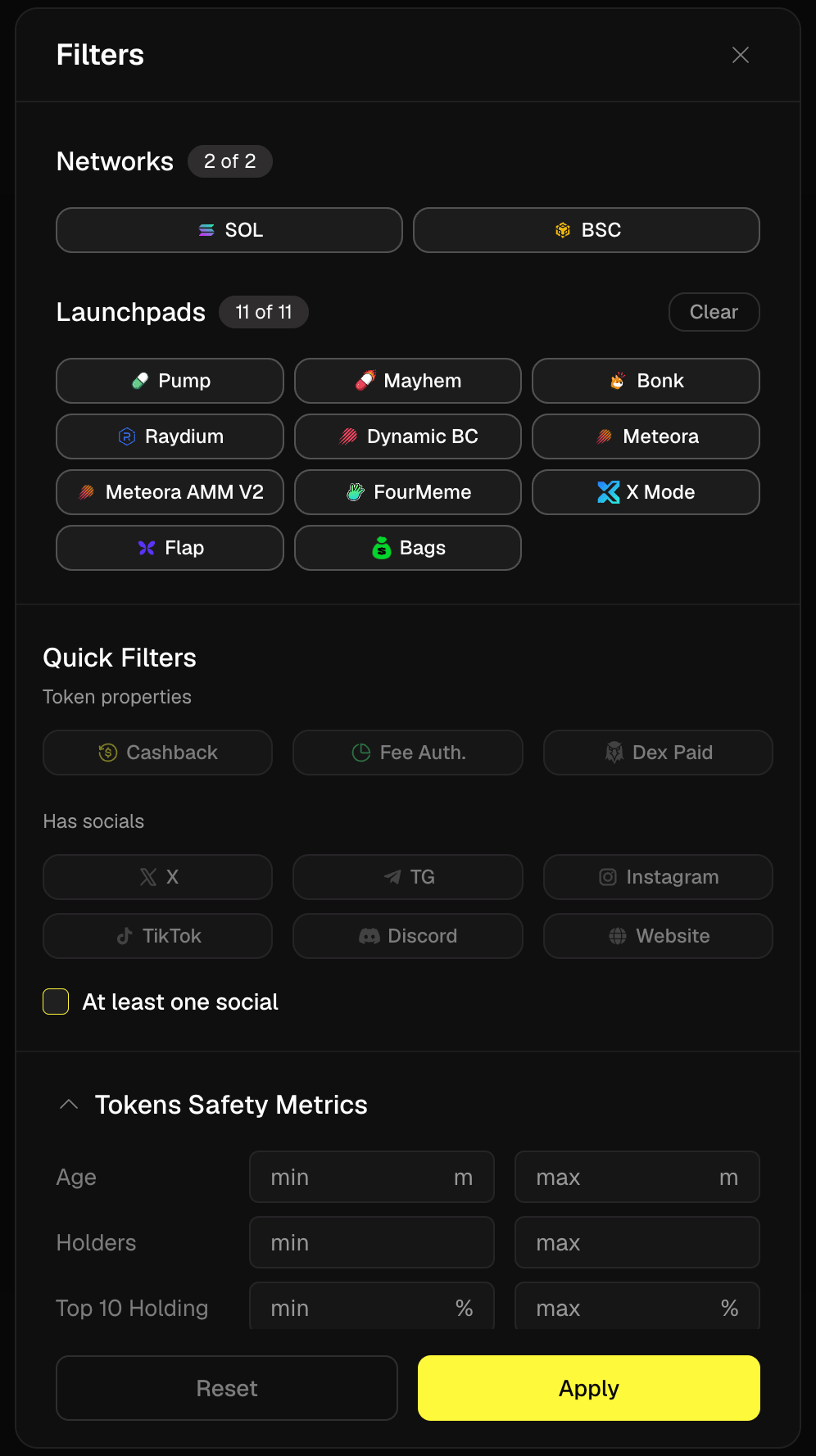
Available in [Trenches](/discovery/trenches), [Discover](/discovery/discover), and search:
* **Chain** — Solana, BNB
* **Market data** — min/max market cap, liquidity, volume, holders, age
* **Risk metrics** — max dev holding %, max bundle %, max top-10 %, max snipers %
* **Socials** — require X / Telegram / website
* **Launchpad** — filter Trenches by origin
 A filter is a thesis in miniature. "Mcap 50k–500k, liquidity >20k, dev \<5%, bundle \<15%, has X" is a strategy; "no filters, chase whatever's green" is a donation schedule.
## Saved filter sets
Save any filter combination with a name and switch in one click:
* **Trench scanner** — young, small, strict risk caps
* **Migrated momentum** — bonded tokens with volume, looser caps
* **Bear mode** — older tokens, high liquidity floors, majors only
Saved sets also feed [Custom Radar](/discovery/discover) — your filters running as a standing discovery feed.
## Trade presets
Same idea for execution: preset amount + [transaction settings](/trading/transaction-settings) combos behind [Instant Trade and Quick Buy/Sell](/trading/instant-trade-quick-buy-sell). Buy presets (e.g. 0.1 / 0.5 / 1 SOL buttons) and sell presets (25% / 50% / 100%) are configured directly in each widget — Instant Trade window, Quick Buy widget, order widget.
## Column settings
Every table lets you choose, reorder, and resize columns. Put the variables *you* vet by in the first screen — the metric you have to scroll to is the metric you'll skip when the meta is running.
## Mini-FAQ
**Do settings sync across devices?**
Yes — filters, presets, and layouts are stored with your account. {/* TODO(team): confirm */}
**Can I share a filter set?**
{/* TODO(team): confirm if shareable — good viral feature if so */} Not currently documented; ask in the community.
A filter is a thesis in miniature. "Mcap 50k–500k, liquidity >20k, dev \<5%, bundle \<15%, has X" is a strategy; "no filters, chase whatever's green" is a donation schedule.
## Saved filter sets
Save any filter combination with a name and switch in one click:
* **Trench scanner** — young, small, strict risk caps
* **Migrated momentum** — bonded tokens with volume, looser caps
* **Bear mode** — older tokens, high liquidity floors, majors only
Saved sets also feed [Custom Radar](/discovery/discover) — your filters running as a standing discovery feed.
## Trade presets
Same idea for execution: preset amount + [transaction settings](/trading/transaction-settings) combos behind [Instant Trade and Quick Buy/Sell](/trading/instant-trade-quick-buy-sell). Buy presets (e.g. 0.1 / 0.5 / 1 SOL buttons) and sell presets (25% / 50% / 100%) are configured directly in each widget — Instant Trade window, Quick Buy widget, order widget.
## Column settings
Every table lets you choose, reorder, and resize columns. Put the variables *you* vet by in the first screen — the metric you have to scroll to is the metric you'll skip when the meta is running.
## Mini-FAQ
**Do settings sync across devices?**
Yes — filters, presets, and layouts are stored with your account. {/* TODO(team): confirm */}
**Can I share a filter set?**
{/* TODO(team): confirm if shareable — good viral feature if so */} Not currently documented; ask in the community.