

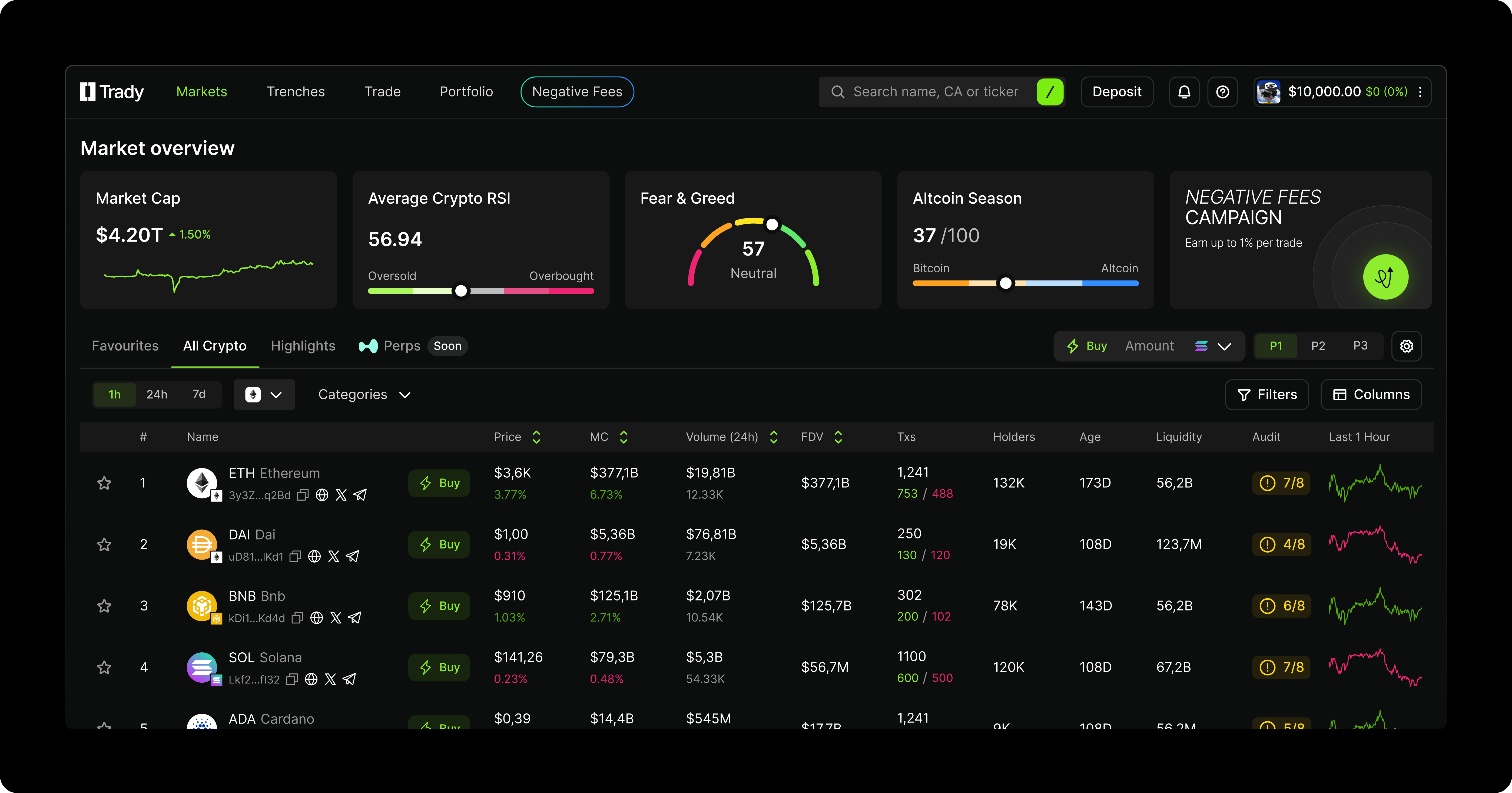
- Total market cap
- Average market RSI
- Fear & Greed Index
- Altcoin season indicator
Highlights
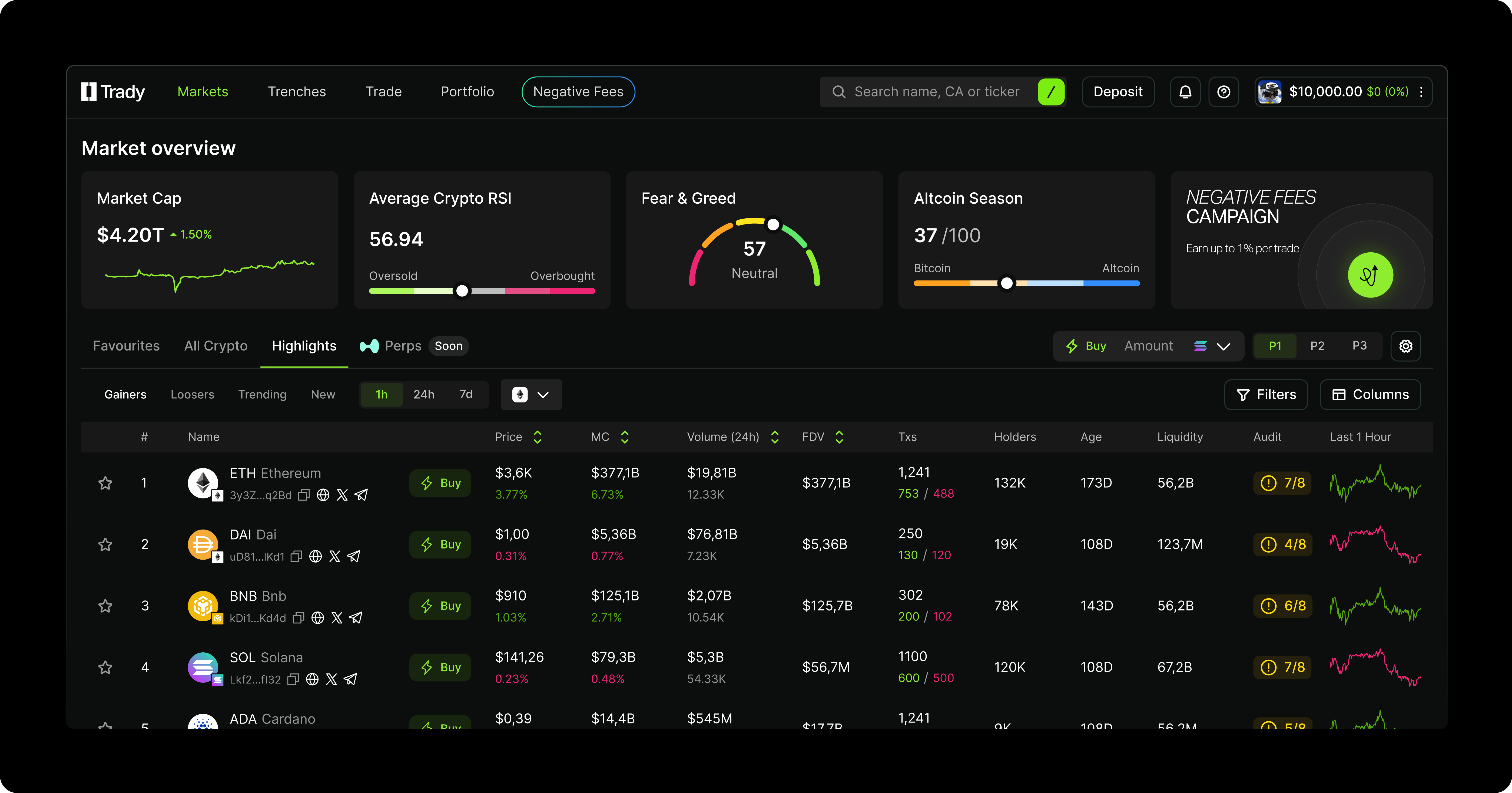
Trending
Trending shows the tokens with the highest current market activity based on:- sudden spikes in attention
- high trading volumes
- strong social-signal surges
- rapid price movements
Gainers
A list of the top-performing assets for the selected time period. Each token displays:- price change (absolute and %)
- market cap
- quick-action Buy button
Losers
Assets with the strongest declines during the chosen timeframe. Useful for:- finding dip-entry opportunities
- monitoring high-risk assets
- assessing the depth of corrections
New
The newest tokens added to the platform or recently activated contracts. Showing:- early performance
- first activity signals
- potential opportunities to enter “at the start”
Token Card
Each token card displays:- token name, icon, and network
- market cap and price
- price change for the selected period
- contract address
- quick Buy button
Trenches
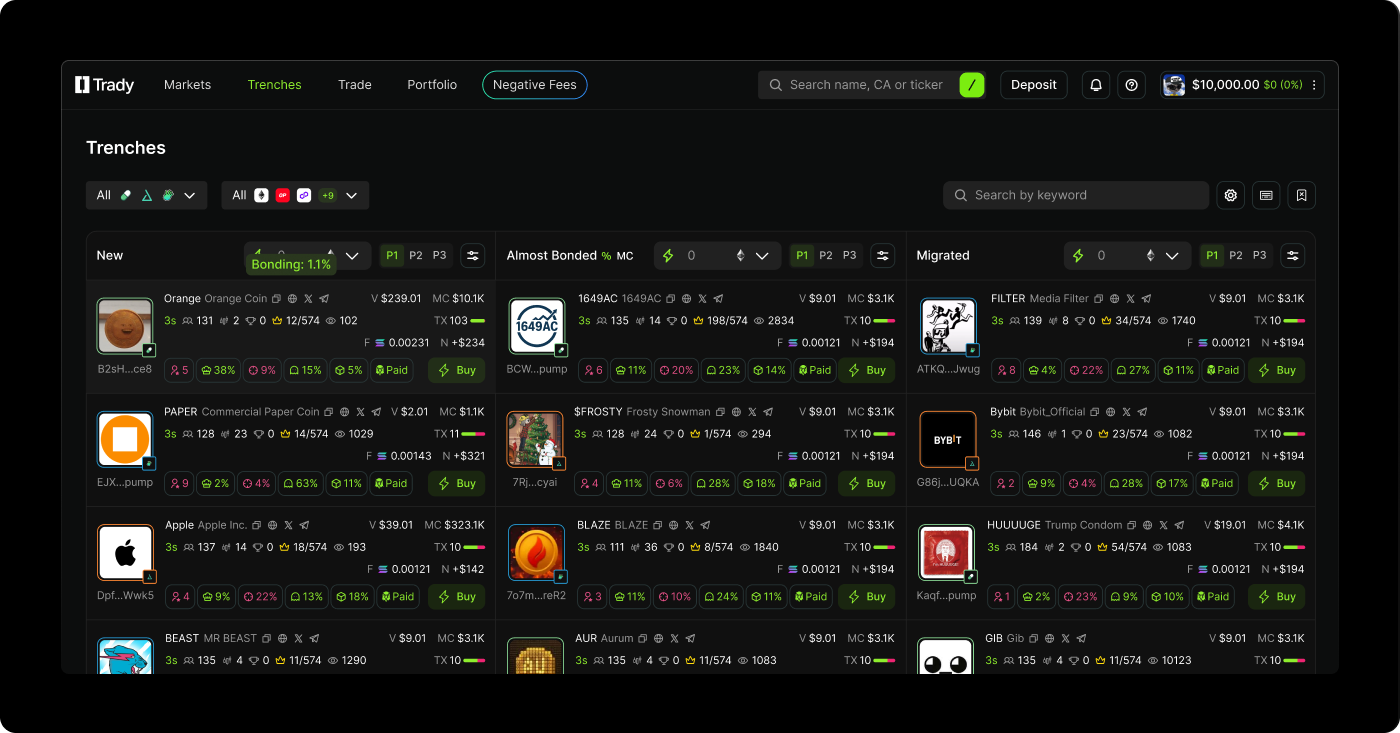
- New Ground floor entries. Fresh off the launchpad – tokens that just went live and are starting to build momentum. Track basic metrics (MC, price, TXs) and spot early traction before the crowd catches on.
- Almost Bonded Often the best entry window. Tokens approaching the bonding threshold. The Progress bar shows exactly how close they are to migration. Enter here to front-run the liquidity shift to DEX.
- Migrated Stable liquidity, lower risk. Bonding complete. These tokens have graduated to established DEX pools with smoother execution and less volatility. Full lifecycle done – what you see is what you get.
- Launchpads: Pumpfun, Bonk, Four Meme, Catapult, Meteora, Catapult
- Quote Token: USD, SOL, ETH, BNB
- Metrics (short & full): B.Curve, Age, Liquidity, KOLs, Dev migrated, Dev launches, Dev migrated %, Holders, Recent Visitors, Top 10 holdings %, Dev holdings %, Insiders %, Bundlers %, Snipers %, Bot Traders, Global Fees Paid, Volume 24h, Volume, MC, Buys , Sells, TXs
- Socials: With at least 1 social, DEX Ad Paid, Dex Boost, CTO, Only Tweet, Dex Bar Paid, Update Social, Website, YouTube, Instagram, X, Telegram, TikTok
What Each Asset Card Shows
Each item in the list includes:- avatar and token name
- contract address
- market cap, volume, fee, total transactions
- Top 10 Holders, Dev Holding, Snipers & their holdings, Insider holdings
- quick-action Buy button
Blacklist
The Blacklist is a user-controlled filtering tool that hides unwanted assets, developers, keywords, and sources across the platform. Anything matching your rules disappears from feeds, recommendations, search results, and lists. Blacklist helps you:- avoid scam developers
- filter out unwanted memes or communities
- block specific keywords
- hide certain KOLs, websites, or contract addresses
Hotkeys
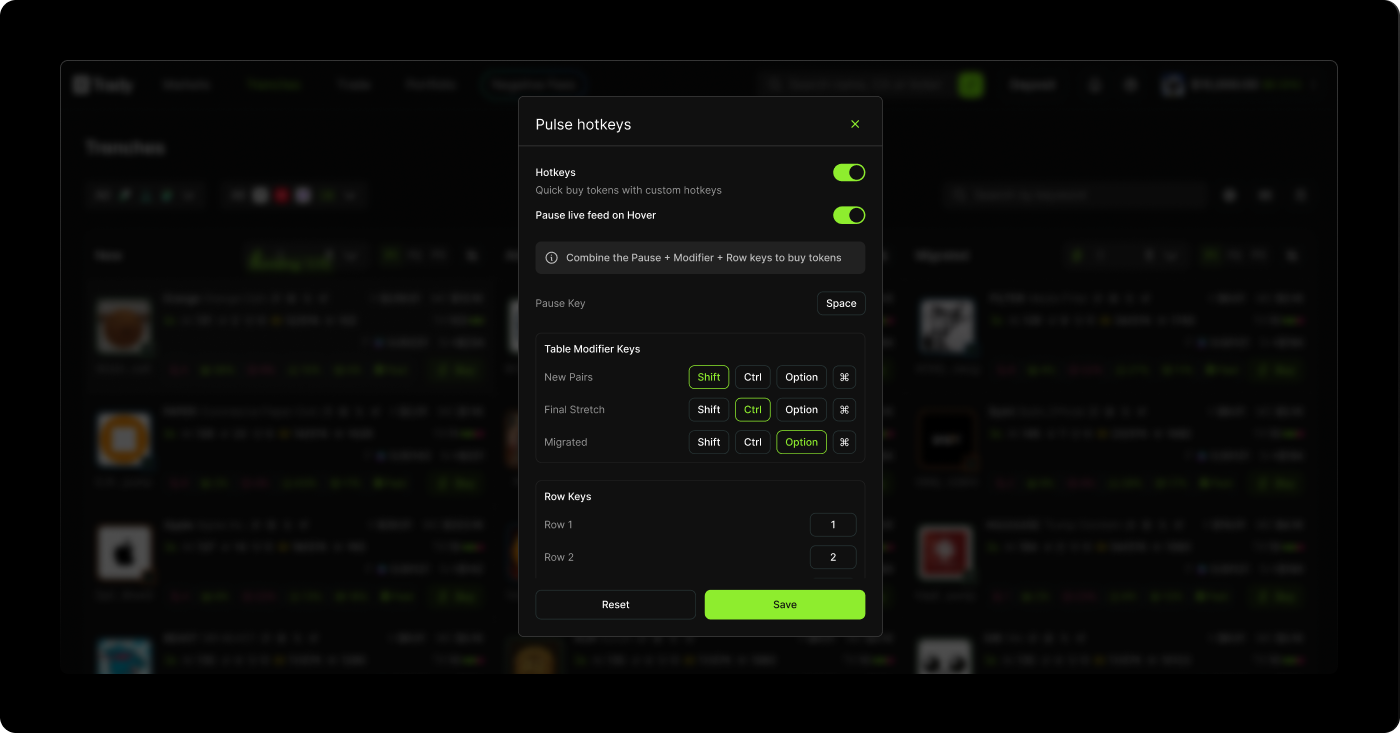
| Token Type | Keys to Hold & Press | Action |
|---|---|---|
| New Pairs | Space + Shift (or Option) + Row key | Buy New Pairs token |
| Final Stretch | Space + Shift + Ctrl + Option + Row key | Buy Final Stretch token |
| Migrated | Space + Shift + Ctrl + Option + H + Row key | Buy Migrated token |