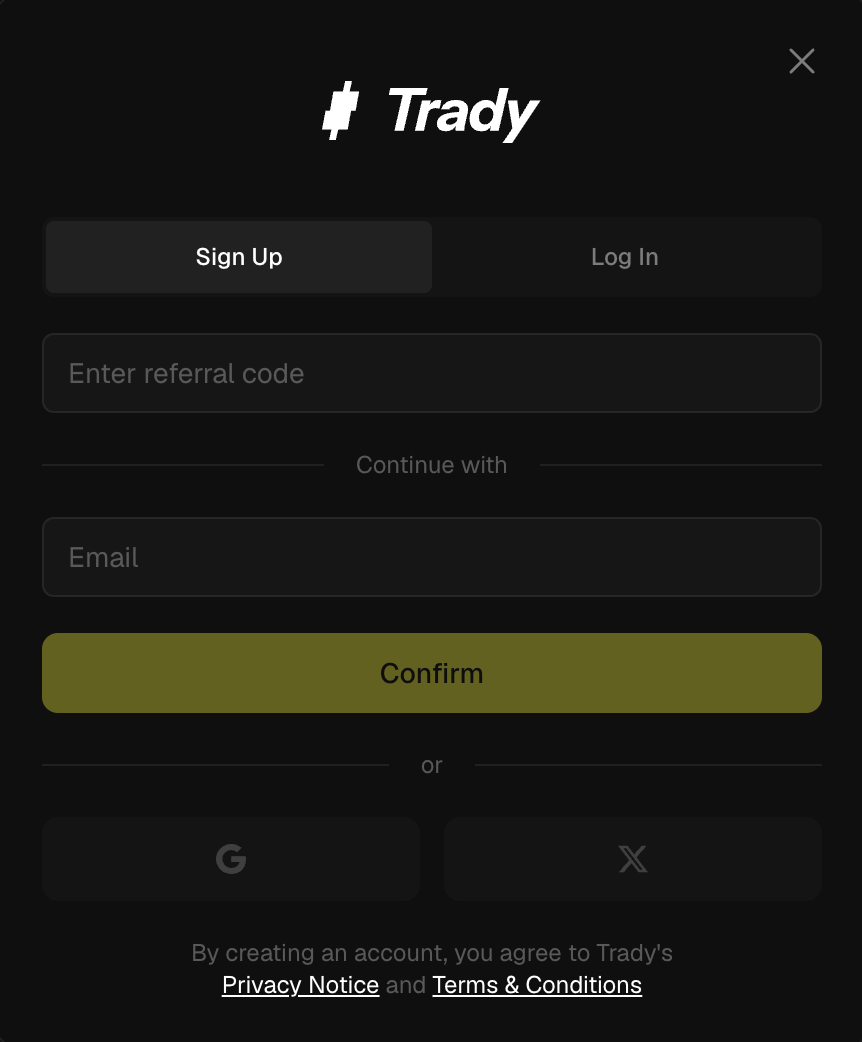
Sign up
- Open trady.xyz and click Sign Up.
- Choose a sign-in method: email, Google, or X.
- Confirm the one-time code (email flow) or approve the OAuth prompt (Google/X flow).
- Trady generates your trading wallets — one for Solana, one for EVM chains — secured by Privy infrastructure. No seed phrase to write down at signup, but you can (and should) export your keys right away.
That’s the whole flow. No KYC, no waiting.
First things to do after signup
- Export your private keys and store them offline — how. Do this before your first deposit, not after your first 100x.
- Set a referral code if a friend gave you one — you’ll trade at the Ape tier (0.90% instead of 1.00%) for your first 30 days. See Referral Program.
- Deposit and go hunting.
Signing in on a new device
Sign in with the same email/social account. Your wallets follow your account — keys are reassembled only during signing, inside secure infrastructure, never stored in your browser. Details: Security.
Frequently asked questions
Can I import a wallet I already use?
Yes — see Custody, Key Export & Import.
Can I change my sign-in email later?
Contact support if you need this today.
Is there a mobile app?
Trady is a web app and works in mobile browsers. Last modified on August 4, 2026