

What slippage should I set?
The maximum price movement you accept between clicking and filling.- Established tokens, deep liquidity: low slippage (1–5%) is fine.
- Fresh trenches tokens: 20–30% is realistic — shallow pools move fast. Trades with tight slippage on volatile tokens simply revert.
- Never set it high “just to make it fill” on size. High slippage on a visible transaction is an invitation to be sandwiched. Understand the trade-off: Slippage, Priority Fees & MEV.
What priority fee should I use?
What you pay the network to process your transaction ahead of others. On Solana this is the difference between landing in the next block and landing after the move is over.- Default: dynamic, matched to current network conditions.
- Raise it when the network is hot (major launch, meta day) and your fills are lagging.
- This fee goes to the network, not to Trady.
How does Trady’s MEV protection work?
Sandwich bots watch pending transactions, buy in front of yours, and sell into your fill — you buy higher, they pocket the difference. MEV protection routes your transaction privately so bots can’t see it before it lands.- Keep it on for anything with size. The cost of protection is a marginally slower land; the cost of a sandwich is real money.
- Trades routed privately can take slightly longer to confirm — that’s the mechanism working, not a bug.
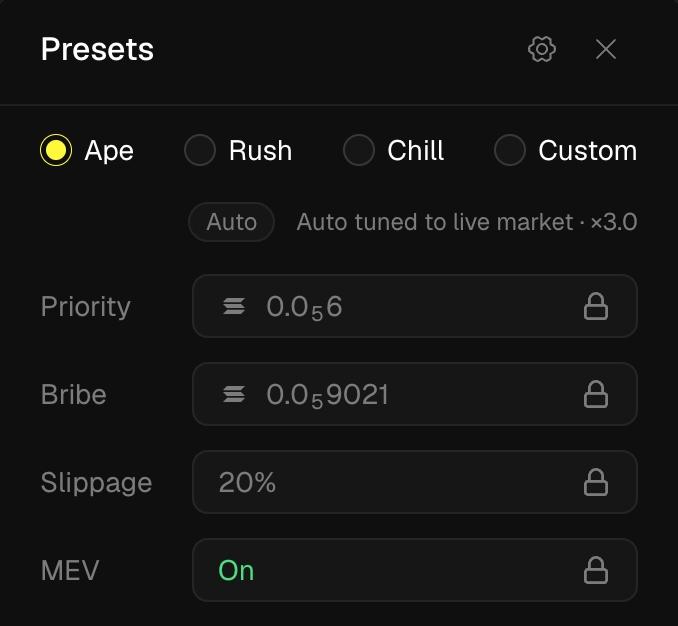
What are the Chill, Rush and Ape presets?
Four presets, one click to switch. Three of them are fully automatic — they track current market averages in real time, so they stay correct as network conditions change:
The automatic presets solve the real problem with manual settings: the “right” priority fee at 14:00 is wrong by 14:05. Chill/Rush/Ape recalculate from live market values, so “aggressive” always means aggressive relative to right now.
Custom hands you every dial — slippage, priority fee, MEV mode — for trades where you’ve decided the trade-offs yourself.
Presets apply wherever you execute — including the Instant Trade window and the Quick Buy widget, where they’re configured directly in place.