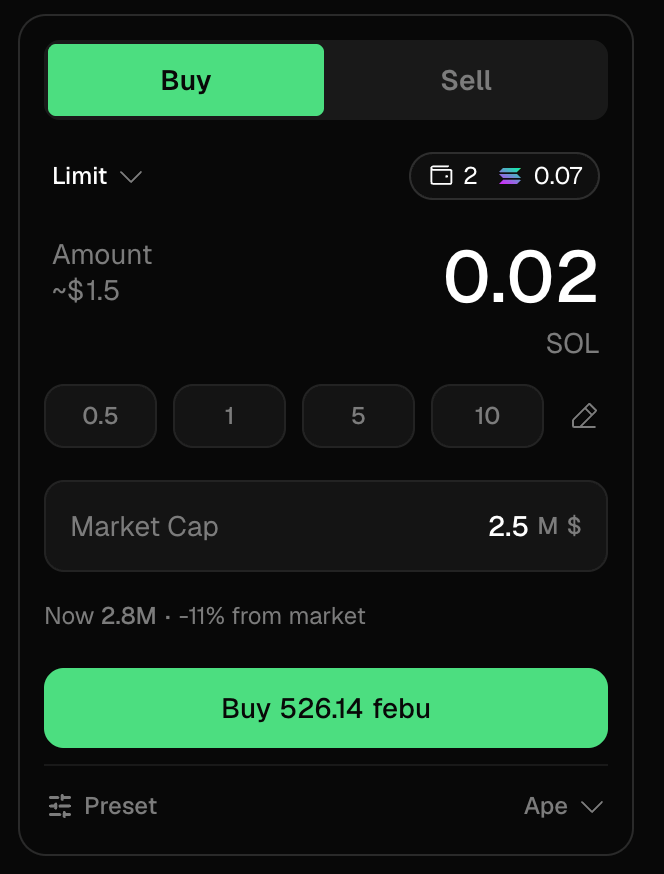
Take profits and cut losses without staring at minute candles — which makes your trading worse anyway. Decide the exit while you can still think, then let it run.
What limit order types does Trady support?
You can combine them on one position — a TP at +100% and an SL at −40% — and whichever triggers first wins.
How do I set a take-profit or stop-loss?
- On a token page, switch the trade panel to Limit.
- Choose the trigger: target price or market cap.
- Set the amount — tokens, your chain’s stable balance, or % of position.
- Confirm. The order appears in the Orders tab of the token page and in your Portfolio.
How do limit orders execute?
Trady’s limit orders are managed off-chain and executed on-chain when triggered:
- Price is monitored in real time; when your trigger hits, the order executes with the scoped signing permission you granted at creation. You don’t need the tab open — orders fire while you sleep.
- Execution respects your Transaction Settings; on fast dumps, expect fills near-but-not-exactly-at your trigger (that’s the chain, not the terminal).
The strategy everyone should steal
Recover your initials early. Bought 1 SOL of something and it 2x’d? A take-profit selling 50% at 2x returns your 1 SOL — everything left is house money, and every decision after that gets easier. If you screenshot the profit for the group chat, that’s usually the sign to set the order. (One click on a position: Sell init — see Quick Sell.)
Frequently asked questions
Do limit orders expire?
Open orders stay visible in the Orders tab; cancel anytime.
Can a stop loss fail?
On a violent rug, price can gap through your level faster than any transaction can land — a stop loss reduces risk, it doesn’t abolish it. This is true on every terminal; anyone claiming otherwise is lying to you. Last modified on August 18, 2026