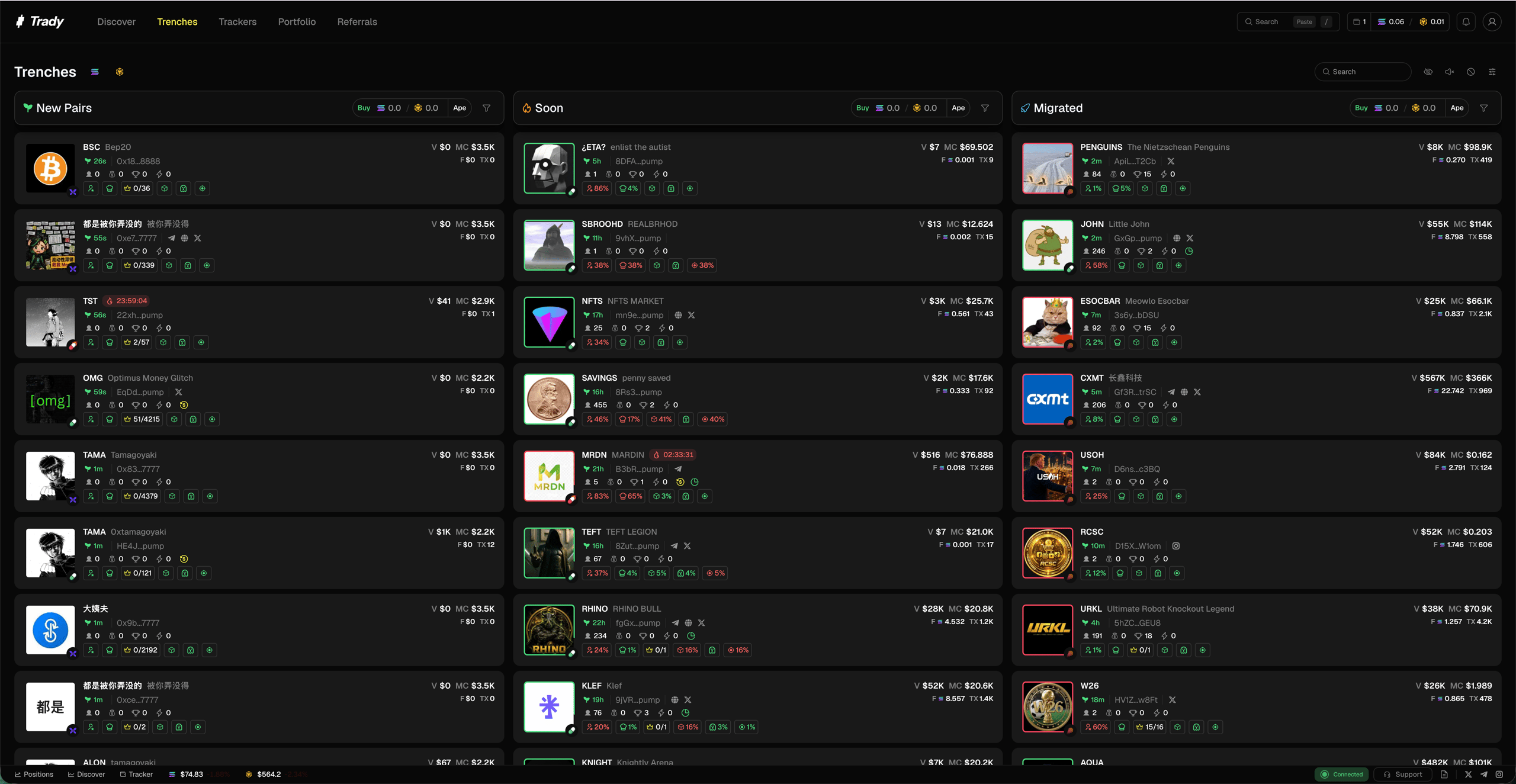
Trenches watches new launches from the first block to DEX migration. This is where the 100x lives and where most of the money dies — the entries are earliest here, and so are the exits.
What are the three Trenches stages?
What’s on a Trenches token card?
Every card shows the vet-before-you-ape variables without opening the token page:
- Market cap, volume, holders, age
- Top 10 Holders % — concentration at a glance
- Dev Holding % — how much the creator kept
- Snipers % — supply grabbed in the first blocks
- Insiders % — wallets linked to the deployer
- Bundle % — supply in coordinated wallets
- Social links present/missing, and a Quick Buy button
What the thresholds mean and when to walk away: Reading a Token Page.
How do I filter Trenches?
Cut the firehose down to your strategy:
- Launchpads: on Solana — Pump.fun, LetsBonk (Bonk.fun), Raydium LaunchLab, Moonshot, Bags, Boop, Heaven, Jupiter Studio, Trends.fun, Meteora; on Robinhood Chain — flap, pons_v2, Sushi
- Quote token / chain: SOL, BNB, USDG
- Metrics: min/max mcap, volume, holders, dev holding, bundle %, age
- Socials: only tokens with X/Telegram/website
Filter sets are savable — see Filters & Presets. Tokens, devs, and keywords you never want to see again go on the Blacklist.
Trench discipline
- The trenches are a PvP arena, and the other players include the dev. Assume every launch is a rug until the numbers argue otherwise.
- Volume should look like fees. Bonding-curve tokens with huge “volume” but no proportional fees = wash-traded chart. See Rug-Check Basics.
- Fresh-wallet holders, staircase candles, up-only on low volume — honeypot patterns. The card metrics exist so you check before the click, not after.
- Size like it can go to zero, because here, it usually does.
Frequently asked questions
How fast do new launches appear?
Within seconds of the creation transaction.
Does Trady have auto-sniping?
Not yet. Today Trenches + Instant Trade is the fastest manual path.
Why do some cards show almost no data?
Zero-history tokens minutes after launch genuinely have almost no data. That’s information too. Last modified on August 18, 2026