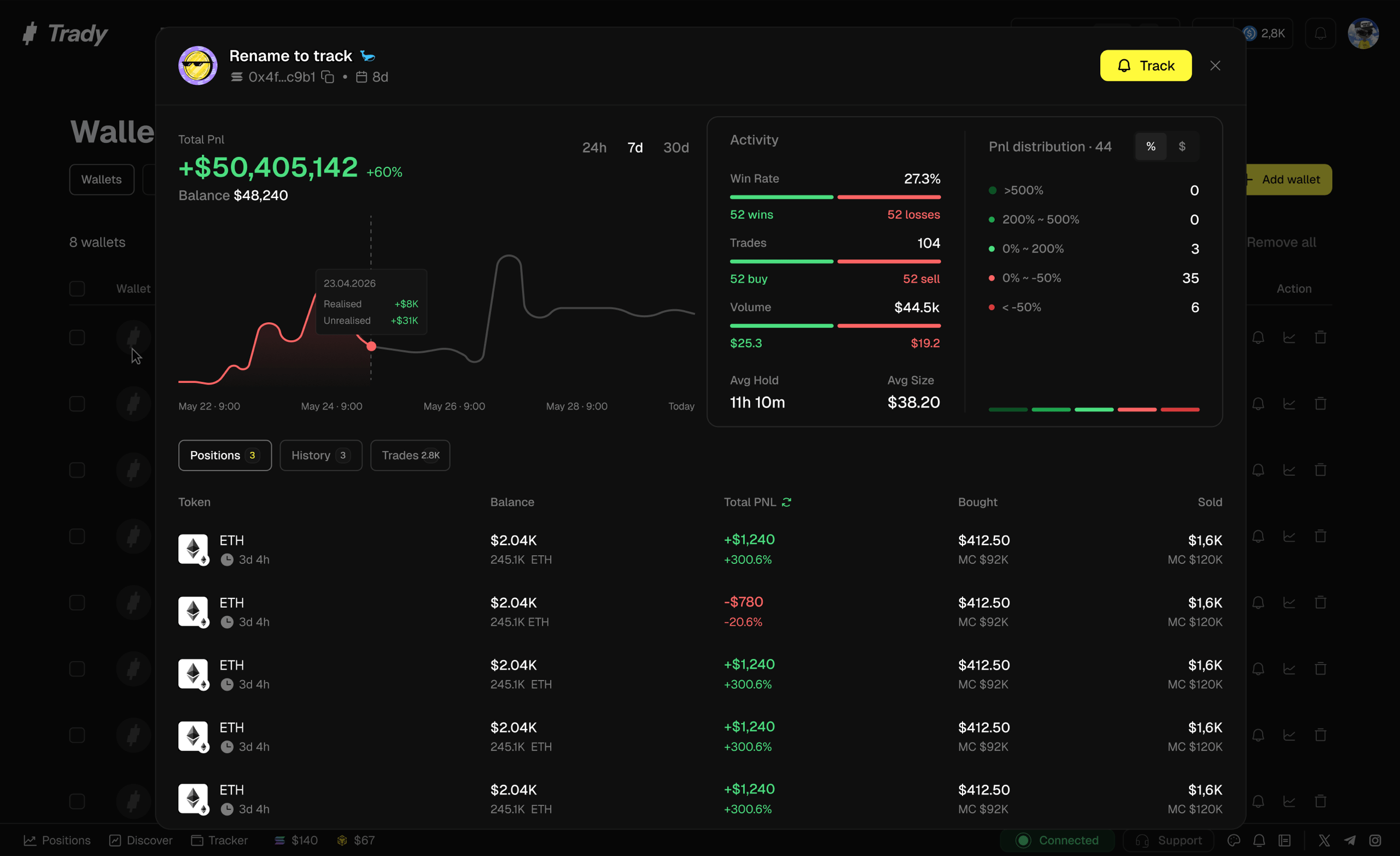
Paste an address — yours, a KOL’s, that wallet that keeps front-running your entries — and see what it actually does with its money, rather than what it says it does.
What you see
- Balance & holdings — current positions with sizes
- PnL — realized and unrealized, over selectable periods
- Win rate & trade count — how often they’re right, and across how many attempts (a 90% win rate over 10 trades is noise; over 400 it’s a style)
- Trade history — every buy and sell, timestamped, with per-trade PnL
- Tokens traded — what they hunt: fresh trenches launches, migrated momentum, majors
What it’s for
Vetting before tracking. Anyone can post a green PNL screenshot; a wallet can’t fake its history. Before you track a wallet — or worse, start repeating its trades — run it through Overview:
- Entries vs exits: do they actually sell well, or just enter early and roundtrip?
- Only-wins pattern: consistent instant profits on brand-new launches = likely insider/sniper flow. You’d be following informed dumping, one step behind.
- Style match: a sniper doing 200 micro-entries a day is useless to track if you trade three setups a week. Track wallets whose game you can actually play.
Self-review. Point it at your own wallet. The history tab doesn’t share your optimism — it’s the fastest honest answer to “am I actually up this month?”
Frequently asked questions
Can I see any wallet, or only tracked ones?
Any address on supported chains — it’s public on-chain data, organized.
Does the wallet’s owner know I looked?
No. Reading public data leaves no trace.
Can I track a wallet directly from its overview?
One click — Track adds the wallet to your Wallet Tracker. Last modified on August 18, 2026